An AI coding agent on a fresh machine is a very capable engineer with an empty toolbox.
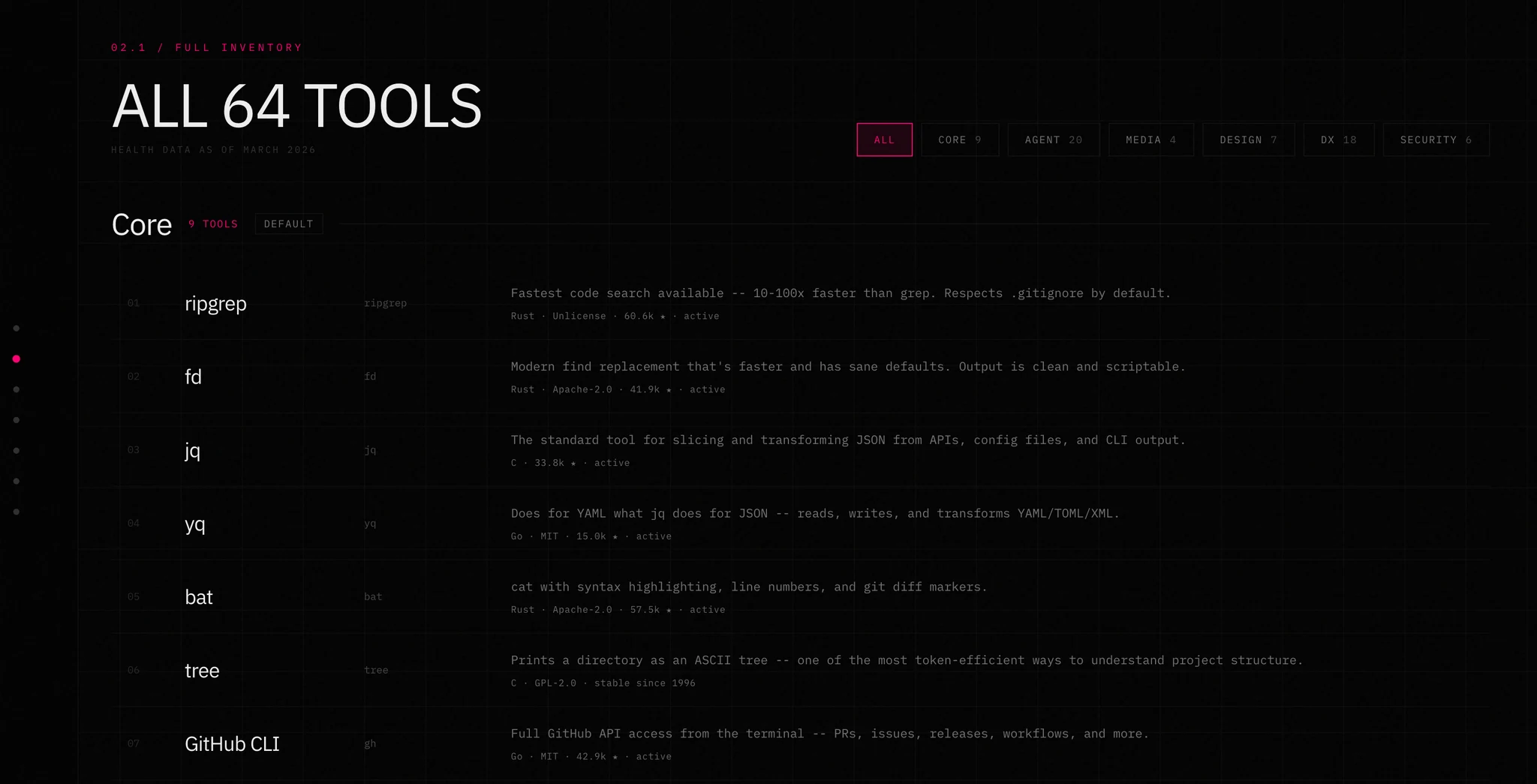
Agent Loadout gives it a toolbox and the instructions to use it. You can browse the presets and full tool catalog on the site before installing anything.
It will still do the work. It'll search with grep, walk directories with find, read files with cat, and parse JSON by asking a language model to squint at it. All of that works. All of it is slower than it needs to be, noisier than it needs to be, and — the part people miss — more expensive than it needs to be, because every one of those fallbacks burns context that could have gone on the actual problem.
ripgrep respects .gitignore and returns file:line:col you can act on. grep -r returns your node_modules. That difference is not a preference. It's the difference between an agent reading forty relevant lines and an agent reading four thousand irrelevant ones.
So: one command.
npx agent-loadout
Sixty-four tools, six presets, a verify pass that proves each one actually runs, and a skill file per tool so the agent knows how to use what it just got.
The two halves of the problem
Installing tools is the easy half, and it's the half everyone solves. A gist with a brew install line, a dotfiles repo, a Brewfile. Fine.
The hard half is that installing a tool doesn't teach the agent the tool exists.
An agent with ast-grep on the PATH and no idea what it's for will keep doing structural refactors with regex, because regex is what it knows. The binary sitting on disk contributes nothing. You've solved distribution and skipped discovery entirely.
That's the actual gap agent-loadout closes. Every install writes two things: the binary, and a skill file telling the agent when to reach for it, which commands are trusted, what the output looks like, and where the sharp edges are.
The catalog is the whole program
Everything traces back to one array in src/catalog.ts. A tool is a small, boring record:
export type Tool = {
  id: string;
  name: string;
  description: string;
  preset: PresetId;
  /** string = same command on every platform */
  verify: string | Partial<Record<Platform, string>>;
  /** null = unavailable on this platform; array = try in order, first available manager wins */
  install: Record<Platform, PlatformInstall[] | null>;
  /** intent-matching keywords for agent discovery (4–8 phrases) */
  tags?: string[];
  /** ids of complementary tools */
  seeAlso?: string[];
};
This is also the security model, and it's the reason the shape is worth dwelling on. The catalog is the trust boundary. There is no way to ask agent-loadout to install something that isn't in it — no arbitrary package names, no user-supplied install targets, no curl | sh from a field in a config file. You pick from a curated list or you pick nothing. A tool that runs package-manager commands on your machine on behalf of an agent should have exactly one place where the set of possible commands is decided, and it should be readable in a single sitting.
Two fields carry more weight than they look like they should:
verify is mandatory. No tool enters the catalog without a command that proves it's installed and runnable. Not "brew said it succeeded" — an actual invocation whose exit code we check. Package managers lie by omission all the time: the formula installed, the binary landed somewhere not on your PATH, and now the agent has a skill file for a tool that doesn't run. The verify pass shells out to every tool in parallel with a five-second timeout and reports what's actually there.
It also fixes its own PATH before looking, which was a real bug and an obvious one in hindsight:
function getExtraPaths(platform: Platform): string {
  if (platform === "darwin") {
    return "/opt/homebrew/bin:/opt/homebrew/sbin:/usr/local/bin";
  }
  if (platform === "linux") {
    const home = process.env.HOME ?? "";
    return `${home}/.local/bin:${home}/.cargo/bin`;
  }
  // ...
}
Install a tool via Homebrew in a shell that started before Homebrew was on the PATH, and verify reports it missing. The fix is three lines and it stops the tool from lying to you about its own work.
install is per-platform, ordered, and nullable. Each platform gets a list of package managers to try, first available wins, and null means "this genuinely doesn't exist here." That last case matters more than it sounds — the honest answer for a macOS-only tool on Linux is skipped, and here's why, not a failed install buried in scrollback:
if (platformInstalls === null) {
  skipped.push({ tool, reason: "not available on this platform" });
  continue;
}

const match = platformInstalls.find((pi) => info.available.includes(pi.method));
if (!match) {
  const required = platformInstalls.map((pi) => pi.method).join(" or ");
  skipped.push({ tool, reason: `requires ${required}` });
  continue;
}
Two skip reasons, both actionable. requires cargo tells you what to install to unblock it. "Failed" tells you nothing.
Presets, because sixty-four is too many
Nobody wants all of them. The catalog splits into six groups, two on by default:
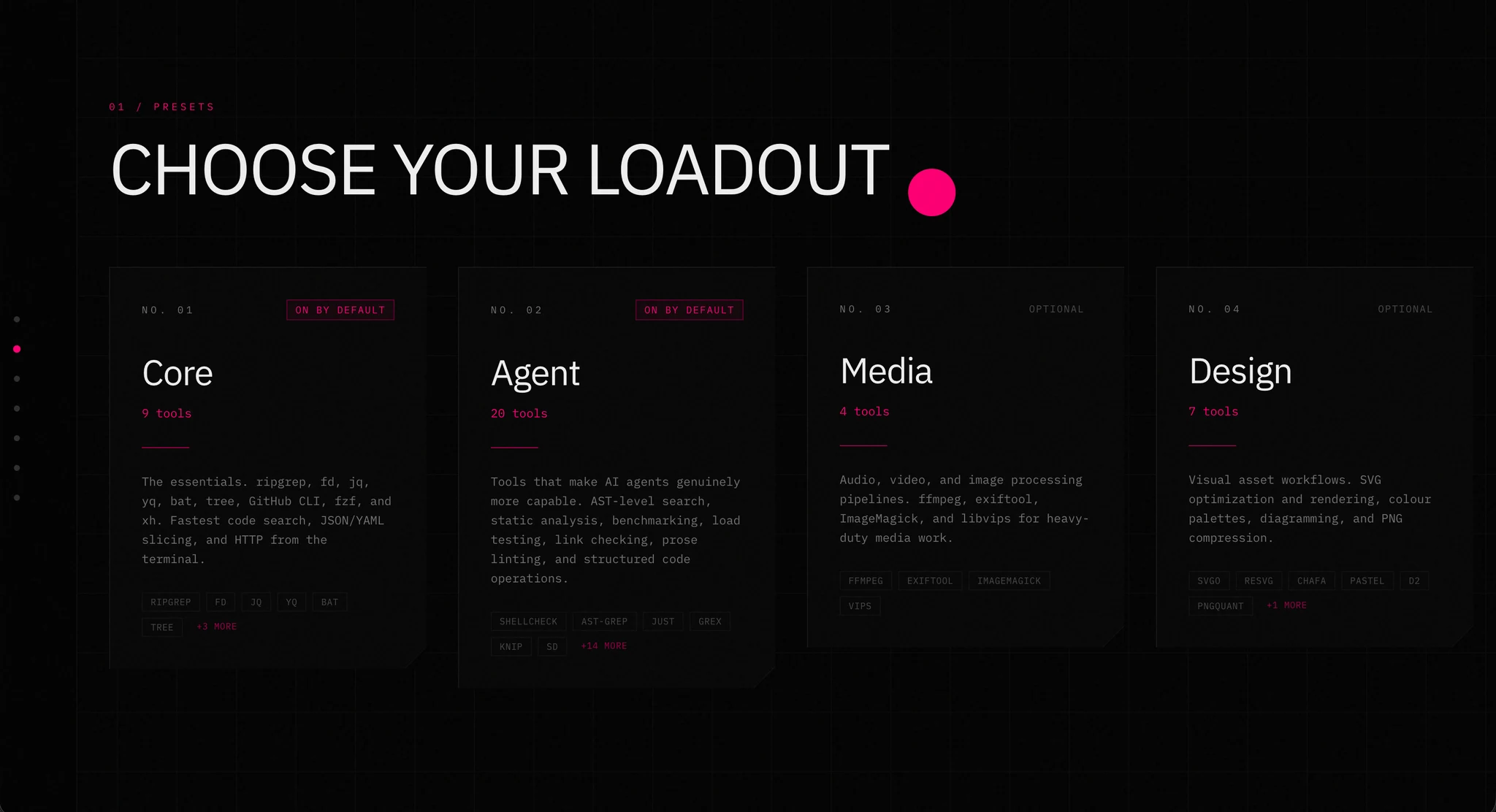
| Preset | Tools | Default | What it's for |
|---|---|---|---|
| Core | 9 | on | Fundamentals every terminal should have — rg, fd, jq, yq, bat, tree, gh, fzf, xh |
| Agent | 20 | on | Tools that specifically improve LLM workflows — ast-grep, shellcheck, difftastic, duckdb, gron |
| Media | 4 | off | ffmpeg, exiftool, ImageMagick, vips |
| Design | 7 | off | SVG, colour, and image preview — svgo, resvg, pastel, d2, chafa |
| DX | 18 | off | Quality of life — eza, zoxide, delta, lazygit, mise, direnv, uv |
| Security | 6 | off | Scanning and CI hygiene — trivy, gitleaks, semgrep, age, act, doggo |
Core and Agent are the default because they're the ones that change how well an agent works rather than how pleasant your terminal is. DX is genuinely great and genuinely optional — zoxide doesn't make your agent smarter, it makes you faster.
Everything is a dry run until you say otherwise:
npx agent-loadout install --preset core agent            # prints the plan
npx agent-loadout install --preset core agent --apply    # runs it
npx agent-loadout install --all --skip lazygit --apply
npx agent-loadout verify --json
--apply being opt-in is deliberate. A tool that installs software should show you the exact commands before it runs any of them, especially when an agent might be the one invoking it.
The half that matters: skill files
After install, agent-loadout writes a markdown file per tool to ~/.claude/skills/agent-loadout/ — where Claude Code discovers it automatically — and a generic copy to ~/.agent-loadout/skills/ for everything else.
Each file is a playbook, not documentation. Here's the entire ripgrep one, trimmed:
# ripgrep (rg) — Fast code search

## When to use
Search file contents across a codebase. Faster than grep, respects .gitignore by default.

## Trusted commands
- Search for a pattern: `rg "pattern" path/`
- Fixed string (no regex): `rg -F "exact string"`
- File type filter: `rg "pattern" -t ts`
- JSON output (agent-parseable): `rg "pattern" --json`
- Exit non-zero if no matches: `rg --exit-status "pattern"`

## Output format
`file:line:column:matched_text` — one match per line, stable and parseable.

## Gotchas
- Skips hidden files and .gitignore'd paths by default. Use `--hidden` or `--no-ignore`.
- For literal dots, brackets etc., use `-F` to avoid regex escaping issues.
Four sections, every time: when to reach for it, the commands that are known to work, the exact output shape, and the things that will bite you. No flag reference — tldr exists, and an agent that needs the full surface can read the man page. What it can't derive is which five commands out of two hundred flags are the ones that matter, and that's the only thing the file contains.
The Gotchas section earns its place more than the rest. "Skips .gitignore'd paths by default" is the single most common way an agent gets a confidently wrong empty result from rg. Writing it down once beats an agent rediscovering it in every repo, at your expense, forever.
Packing the index into the frontmatter
This is the bit I'd steal for other projects.
Claude Code loads every skill's frontmatter description into the system prompt at session start, but only reads the body when the skill is actually invoked. Descriptions are always-on and cheap; bodies are on-demand and expensive. That's a real budget, and it has an obvious consequence: whatever goes in the description is what the agent knows it could do, and everything else may as well not exist until something reminds it to look.
So the generated SKILL.md index packs the entire inventory into the description field, in the densest format that's still parseable:
// Compact tool inventory for the description field — the only thing surfaced
// in the Claude skills system prompt. Format: "Preset: id(primary-use) ..."
const compactDescription = PRESETS.filter((p) => byPreset.has(p.id))
  .map((preset) => {
    const entries = (byPreset.get(preset.id) ?? [])
      .map((t) => {
        const use = (t.tags?.[0] ?? t.description).replace(/ /g, "-");
        return `${t.id}(${use})`;
      })
      .join(" ");
    return `${preset.name}: ${entries}`;
  })
  .join(" | ");
Which produces this, always in context:
Core: rg(search) fd(find-files) jq(json) yq(yaml) bat(view-file) tree(directory-tree)
gh(github) fzf(fuzzy-find) xh(http-request) | Agent: shellcheck(shell-script)
ast-grep(structural-search) just(task-runner) grex(regex) knip(unused-code) ...
Sixty-four tools and their primary use, for roughly the cost of a short paragraph. The hyphen-joining is not cosmetic — find-files reads as one token-ish unit where find files reads as two words that could belong to the sentence around them.
The result is that the agent doesn't need to remember the toolbox or go looking for it. id(use) pairs are enough to match intent — the agent sees "structural-search" when it's about to write a regex-based refactor and pulls the full ast-grep playbook, which it only pays for at the moment it's actually useful. Summary always, detail on demand.
Same principle as the per-tool frontmatter, which carries tags for intent-matching and seeAlso for the neighbours. gron's tags mention json-grep; an agent trying to grep JSON finds it without knowing the name of a tool called "gron", which is a name you would never guess.
The index is written last, deliberately, so it reflects exactly what landed on disk rather than what was planned:
// Write TOC last so it reflects exactly what was written
const toc = buildTOC(tools.filter((t) => SKILL_CONTENT[t.id]));
Refreshing without reinstalling
Skills and binaries drift apart. You upgrade agent-loadout and the playbooks improve while the tools stay put; or you install something by hand that the catalog knows about. Two commands, split by intent:
npx agent-loadout skills           # fill gaps only
npx agent-loadout skills --force   # rewrite everything
Both are ensure-shaped and safely repeatable. The gap-filling variant checks the filesystem per tool in parallel and only writes what's missing — which is the version you want an agent running unattended, because the worst case is a no-op.
What it doesn't do
It doesn't configure anything. No dotfiles, no shell rc edits, no aliases. Some of these tools want configuration to be great — delta in particular is transformed by a few lines in .gitconfig — and that is your business, not the installer's. It writes to ~/.agent-loadout/ and ~/.claude/skills/agent-loadout/ and nowhere else.
It doesn't manage versions. mise is in the catalog because that's a real problem and a solved one, by something that isn't this.
And it's not a curation argument I'll defend to the death. Sixty-four tools is a judgement call. Some of them you'll never touch. The catalog is one readable file and the skip flags exist:
npx agent-loadout install --tool pandoc duckdb --apply
If you don't want the CLI at all, the repo has an auto-generated Brewfile — brew bundle and you're done, minus the skill files.
Why bother
The framing I keep coming back to: your agent's capability is bounded by its tools, and its effectiveness is bounded by knowing they exist.
Installing sixty-four binaries and telling the agent nothing is half a solution that feels like a whole one. The binaries are the cheap part — a package manager and ten minutes. The expensive part is the agent learning, one wasted turn at a time, that rg --json is parseable, that ast-grep won't match inside comments, that gron makes JSON greppable at all.
Write that down once. Ship it with the tools.
agent-loadout is MIT-licensed and on GitHub. Adding a tool is three steps — a catalog entry, a skill file, a Brewfile line — and the contributing notes are in the README. The only hard rule is that nothing goes in without a verify command.
Ready to equip your agent? Explore Agent Loadout → Browse the presets, check the catalog, and choose the tools for your workflow.